
Getting started with our Music engraving Embed
The easiest way to get started with our Sheet Music embed is to use our code generator. This one will build the basic HTML code for your embed and let you custom the most common url parameters.
You can quickly access to the generator from any sheet music hosted on Flat: click on the "Share" button on the top right of the editor, then click on "Embed". If the score is private, a private sharing link with a sharingKey will be generated for the document:
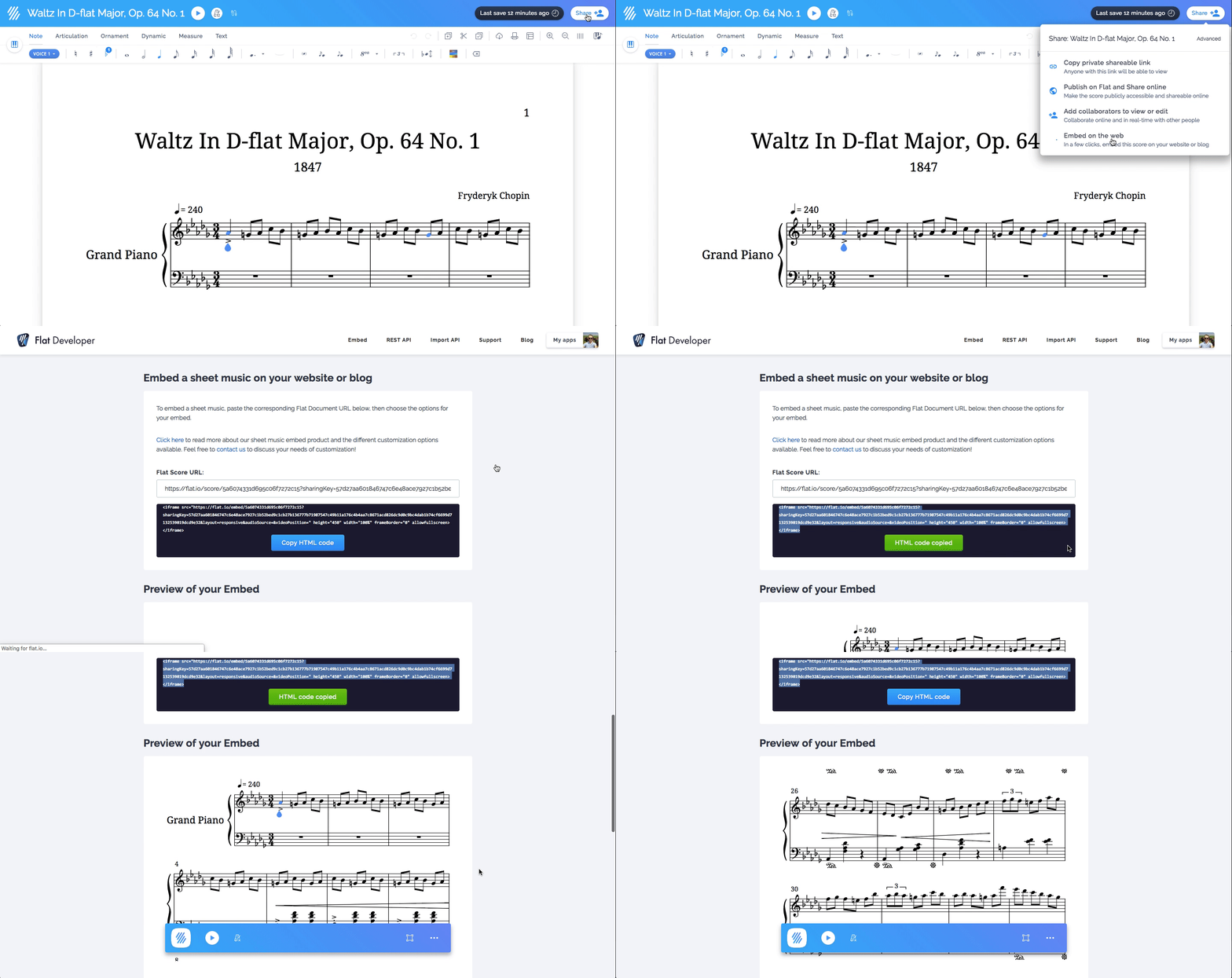
You will get a similar code that you can paste to your web page code or blog post code:
html
<iframe src="https://flat-embed.com/[SCORE_ID]" height="450" width="100%" frameBorder="0" allowfullscreen></iframe>The attribute allowfullscreen will allow your visitors to open the score in fullscreen. You can also add extra URL parameters to customize your music score or embed appearance, discover them in the related documentation.
Frequently Asked Questions (FAQ)
Do I need a paid plan or a free trial to develop with the embed?
No. On localhost, the embed works with all its features and without an appId, so you don't need a subscription, a trial, or a public domain to build and test your integration. You only need a plan when you deploy: create an app, add your domain to it, and set its appId in your embed code.